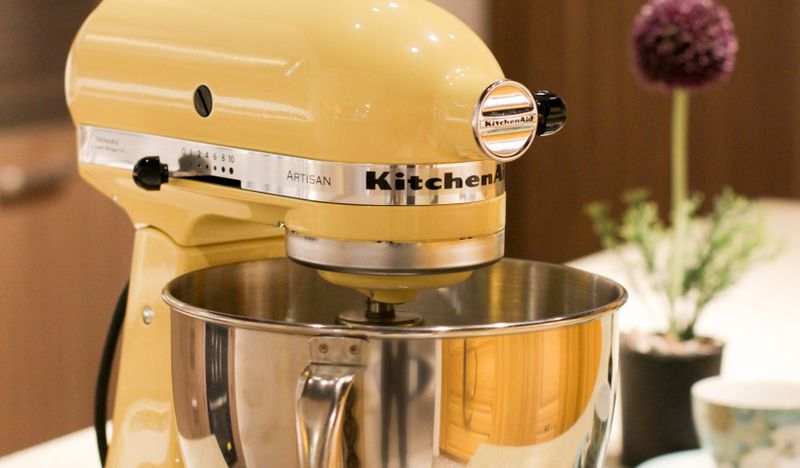
Photo by David Yohanes from Pexels
This guide has no affiliate links, but some pages it links to do. If you buy through those, I may earn a commission at no extra cost to you.
Most KitchenAid stand mixer problems trace to a few causes that KitchenAid’s own help pages name: oil separating from the grease, beater clearance that has drifted, a loose neck pin, overload and steam. The table below gives the first check for each.
KitchenAid describes a few drops of oil, a head that bounces under dough and a stop mid-batch as expected in some conditions. This guide does not come from using a mixer myself, and where KitchenAid’s pages disagree with each other, I say so.
Quick answers to common KitchenAid stand mixer problems
| What you notice | Usual cause, per KitchenAid | Check first | Call service if |
|---|---|---|---|
| Oil near the beater shaft or in the bowl | Oil separating from the grease inside the head, more likely after storage or in warm weather | Wipe it off, run the mixer empty on speed 10 for about two minutes, wipe again | Heavy loss, repeat leaks, or grinding sounds |
| Head bounces or wobbles | Dense dough, a beater set too low, or a loose neck pin | Knead on speed 2 and check the beater-to-bowl clearance | It continues with light mixtures or gets worse |
| Beater hits the bowl or misses food at the bottom | Clearance has drifted since the factory setting | Dime test, then a slight turn of the adjustment screw | The adjustment will not hold |
| Stops mid-mix | Thermal overload protection, or steam on the circuit board | Switch off, unplug, wait about 30 minutes (steam: about 3) | It will not restart after cooling |
| Will not turn on | Outlet, cord, speed lever or a tripped overload protector | Try another outlet; set the lever to Off and restart | Still dead after cooling and a different outlet |
| Head warm or a faint hot smell | Long sessions, an overloaded bowl, or dough above speed 2 | Stop and let it cool for 30 to 45 minutes | Smell during light work, or with power loss or odd sounds |
| Clicking, grinding or knocking | Light tapping with dense mixes is normal; repeated metal sounds suggest wear | Check bowl lock, accessory fit and clearance | The noise continues or worsens |
| Bowl will not lock or feels loose | Bowl not seated, worn bumps or clips, or kneading above speed 2 | Reseat it; on bowl-lift models press until it snaps | Worn parts need replacing |
| Runs at high or low speed only | Unlabeled odd speeds, Soft Start, or a faulty speed control lever | Test the speeds with an empty bowl | It stays at one speed whatever the lever setting |
Oil leaking: what KitchenAid says is normal
KitchenAid’s product help page on oil leaks says the mixer is packed with enough solid grease to last its lifetime, and that the grease spreads over the gears as the mixer runs. Over time some oil can separate and settle at the lowest point of the motor head. That is just above the beater shaft if the mixer stands upright, or the speed control and lock lever slots if it was stored or shipped on its side.
The same page says this is more likely in warm weather and with a mixer that is not used often, and that regular use may prevent it. It also lists overusing the mixer without letting it cool completely between uses as a possible cause.
On how worried to be, KitchenAid says oil leakage will not harm the mixer, and that unless a fairly large amount has been lost it is most likely not a concern. If the mixer sounds normal and is not grinding, it can continue to be used. The grease is food grade and approved for incidental contact with food, but it can discolor light-colored frostings or mashed potatoes, and you do not need to add oil as maintenance.
What to do about it
- Wipe it first: clear oil from around the beater shaft and out of the bowl before mixing.
- After a long idle spell: the product help page says to run the mixer empty at speed 10 for about two minutes, switch it off, and wipe excess oil from around the planetary action. Fit the pouring shield first, because some oil can splatter.
- Going forward: KitchenAid’s troubleshooting guide says to store the mixer upright and run it at least once a month, with or without ingredients in the bowl.
When oil is a service job
KitchenAid says the only way to stop leaking completely is a service facility, where the old grease is removed, new grease packed in and the gasket replaced. The troubleshooting guide says to contact support if a large amount is lost, the leakage keeps returning after regular use, or the mixer starts grinding or sounding unusual.
Repair sites such as PartSelect publish a take-it-apart-and-regrease procedure. The KitchenAid pages I read do not give owners one. I did not read the warranty terms, so whether opening the housing affects coverage is something to ask KitchenAid before trying it.
Serious Eats reaches the same conclusion from the same pages: the grease is food grade, separation does not harm the mixer, and a fix needs a KitchenAid service facility.
Head wobble, bounce or won’t lock
Some movement is normal. KitchenAid’s help page for a bouncing tilt-head says the head bouncing a little when kneading bread or using heavy beaters is expected, and recommends kneading dough on speed 2. The head should not come unlocked during proper use.
If it keeps moving, KitchenAid’s pages give three checks in this order:
- Is it dough, and on what speed? KitchenAid asks this first and recommends speed 2 for kneading, because heavy dough above that makes the head work harder.
- Is the beater touching the bottom of the bowl? A beater set too low pushes into the bowl and makes the head bounce. The fix is the clearance adjustment below.
- Is the silver neck pin loose? It runs through the neck of a tilt-head mixer and fastens the head to the base, with its rounded ends visible on both sides. The troubleshooting guide says it can be pushed back into place and its screw tightened, using a 1/8-inch hex drive or Allen wrench on some models. You reach the screw by laying the mixer on its side, and the guide sends you to your owner’s manual for where it is.
The two KitchenAid pages disagree on one detail. The product help page says that if the beater is too high, the head cannot lock. The troubleshooting guide says that if the head will not lock, the beater may be sitting too low and pressing into the bowl. Both lead to the same step, which is checking the clearance, so that is where to start.
A head that has fallen down is treated differently: the help page for it says to contact KitchenAid or use its service locator rather than adjusting anything.
Beater hits the bowl or misses the ingredients
KitchenAid says the flat beater is set at the factory to just clear the bottom of the bowl, and that the clearance can drift with shipping, time and use. The signs it lists are:
- Beater too low: it scrapes the bottom of the bowl, the white coating on a coated flat beater chips or wears, or the head bounces. KitchenAid’s product help says a chipped or worn white coating means the beater should be replaced.
- Beater too high: ingredients collect at the bottom of the bowl and are not mixed.
- Bowl-lift models, beater hitting the sides: the bowl is not snapped into place. It can look level without being locked, so you should hear a snap when you press down on the back of the bowl.
The dime test
KitchenAid’s adjustment guide says to put a dime in the bowl with the flat beater attached, turn the mixer on and watch the dime. If it does not move, the beater is too high. When the mixer is properly adjusted, the dime should move about a quarter inch inside the bowl with each pass of the beater.
The two KitchenAid pages describe the too-low result differently. The adjustment guide says the beater is too low if the dime does not move around the bowl smoothly, while the troubleshooting guide says it is too low if the dime moves continuously around the bowl. The quarter-inch figure is the same in both, so treat that as the target.
One caveat from the product help page: the dime test works for stainless steel bowls only, not glass or ceramic. Glass is made slightly differently, so KitchenAid says to adjust glass-bowl clearance without the dime until mixing performance is right.
Making the adjustment
- Switch the mixer to off and unplug it.
- On a tilt-head, tilt the head back and find the screw in the hinge. On a bowl-lift, lower the bowl-lift handle. The screw is in one of two places there, and the product help page shows both. That page also says mixers made before 1980 have no adjustment screw, so a service facility has to make the adjustment.
- With the flat beater attached, turn the screw slightly: counterclockwise raises the beater and clockwise lowers it on a tilt-head, according to both the adjustment guide and the Ireland FAQ. The screw will not turn more than a quarter turn (90 degrees) either way, and the whole range is half a turn.
- Repeat the dime test and adjust again if needed.
Three warnings come with it. If you over-adjust, the bowl lock lever on a tilt-head may not lock. KitchenAid’s product help says that on some bowl-lift models made after April 2003 the screw turns the opposite way, so if clockwise does not help, try the other direction.
The third is a wording clash on bowl-lift models. The product help page says counterclockwise raises the bowl, while the adjustment guide says counterclockwise raises the beater, and those have opposite effects on the gap. On a bowl-lift, make a very small turn, repeat the dime test, and turn back if the result is worse.
Stops mid-mix, won’t turn on, or runs hot
Stops during mixing
KitchenAid says some mixers have thermal overload protection that switches the motor off if it overheats or is overloaded, depending on what you were mixing and for how long. Once the mixer has cooled completely, about 30 minutes, it should start again. Steam is the other cause it names: steam from something hot can condense on the circuit board and cut the power, and the unit should restart in about three minutes once the steam clears.
The guide’s advice for dense mixtures such as sourdough, bagel dough or large batches is to use the dough hook and stay at speed 2.
Will not turn on
The product help page gives a faulty outlet and a tripped thermal overload protector as the usual reasons, and says to try another outlet first. The troubleshooting guide adds checking that the cord is fully in and that the speed control lever is at Off before you restart.
Warm head and a hot smell
KitchenAid says it is normal for the head to feel warm enough that you cannot comfortably touch it after long mixing, such as back-to-back batches of pasta or bread dough. Exceeding the ingredient capacity can also do it, and KitchenAid says speed 2 is the one to use for yeast doughs because a higher or lower speed can be hard on the motor. It says the exterior and motor can take 30 to 45 minutes to cool completely, and that continuing while the mixer is too warm to touch may cause damage.
KitchenAid also says its planetary action typically takes about half the time a recipe states to mix thoroughly. A faint warm smell during a long session is described as possible, and the guide says to switch off and rest the mixer. A smell during light work, one that returns after cooling, or one that comes with power loss or odd sounds is the point where it says to stop using the mixer and contact support.
Noises, bowl lock and speed control
- Clicking or tapping: light tapping can happen with dense mixtures like mashed potatoes or stiff dough. Check that the bowl is locked, the accessory is seated and the clearance is right. Repeated grinding, knocking or metal-on-metal sounds that continue after those checks are the signal to stop and call.
- Bowl will not lock, tilt-head: turn the bowl until it locks on the base plate. If it is still loose, KitchenAid says to inspect the bumps on the bowl base and base plate for wear, because worn ones mean replacing the bowl or plate.
- Bowl will not stay, bowl-lift: seat both sides on the support arms and press until you hear the snap. Kneading above speed 2 can unlock the bowl, and worn bowl clips may need replacing.
- Speed does not seem right: only the Stir speed (1) and the even numbers are labeled, with notches between them for the odd speeds. If the mixer runs only at high speed or only at low speed whatever you select, KitchenAid says to contact it.
- Beater hard to remove: the troubleshooting guide says not to store beaters, whips or dough hooks on the shaft, because it can make them harder to remove.
When KitchenAid says to stop and call
The troubleshooting guide lists these as the cases for support: power that keeps cutting out, oil leakage that keeps returning, a beater shaft that no longer rotates properly, adjustments that no longer hold, repeated grinding, a damaged power cord, or movement that gets worse over time. It also says that if something hard such as a measuring spoon fell into the bowl while mixing, an internal gear may be damaged.
It suggests having the model number, serial number and a description of when the problem happens ready, including whether it is under load, at every speed or only with one attachment.
How this guide was put together
The facts come from KitchenAid’s U.S. product help pages for stand mixers, its troubleshooting and adjustment guides, and the Ireland site’s oil leak FAQ, plus the Serious Eats article linked above. I have not used or opened a mixer myself.
Several things could not be established. KitchenAid’s owner’s manual PDFs would not download, so model-specific details such as the neck pin screw location are the help pages’ own pointer to the manual. KitchenAid’s page on a mixer tripping a GFCI explains what a GFCI is but gives no fix in the text I read. And this covers KitchenAid only; I did not read Cuisinart, Hamilton Beach or Bosch manuals for this guide.
Frequently Asked Questions
Is it normal for a KitchenAid stand mixer to leak oil?
KitchenAid says a few drops of oil near the beater shaft or in the bowl can appear over a mixer’s lifetime, because oil separates from the packed grease. It is more likely in warm weather and with infrequent use. KitchenAid says it will not harm the mixer.
Is the oil safe if it gets in food?
KitchenAid says the grease is food grade and approved for incidental contact with food prepared in the mixer. It can discolor light-colored foods such as frosting or mashed potatoes, so wipe away any residue before mixing. You do not need to add oil to the mixer as maintenance.
Why does my KitchenAid mixer head wobble?
KitchenAid’s pages give heavy dough above speed 2, a beater set too low that pushes into the bowl, and a loose silver neck pin. A little bounce while kneading is expected. Wobble with light mixtures, or that gets worse, is where it says to check the pin or call.
How do I adjust the beater height?
Unplug the mixer, tilt the head back and turn the hinge screw slightly counterclockwise to raise the beater or clockwise to lower it, no more than a quarter turn. Check with the dime test and repeat if needed. Some bowl-lift models made after April 2003 turn the other way.
Why does my KitchenAid mixer shut off while mixing?
KitchenAid names thermal overload protection and steam as the two causes. After an overload the mixer should restart once it has cooled for about 30 minutes, and after steam in about three minutes. Dough on speed 2 with the dough hook is the advice for dense mixtures.
How long should a KitchenAid mixer cool down?
KitchenAid says 30 to 45 minutes for the exterior and motor to cool completely when the head is too warm to touch comfortably. It says continuing while the mixer is too warm may cause damage, and that it can be turned back on once completely cooled.
The short version
Oil, a bit of bounce under dough and a stop after a long batch are all things KitchenAid describes as ordinary. Grinding, oil that keeps coming back, a head that gets worse, or a beater that stops turning are the ones it sends to service.
If you are choosing a mixer rather than fixing one, my best stand mixer for bread dough guide, my best stand mixer guide and the stand mixers hub cover the options, and the KitchenAid Classic vs Artisan comparison covers two tilt-head models for which the head and neck pin checks above apply.

I'm Glenn, and I started Kitchenware Compare to cut through conflicting product reviews and help readers pick kitchen gear with confidence. I don't own or test the products I write about — these guides are built from verified-purchase reviews, manufacturer specifications, and independent testing where it exists, with the reasoning shown, not just a rating.
Leave a Reply