Coffee maker not brewing? It is usually missing something it needs before it will start: power, water in the reservoir, a filter basket that is seated properly, or the carafe on its plate. If it brews but slowly, scale in the water path is the cause the makers give most often, and descaling is the fix.
This page covers drip coffee makers with a carafe, using what the makers’ own manuals say. Using a pod machine? The fixes for pod brewers are in the pod coffee maker troubleshooting guide.
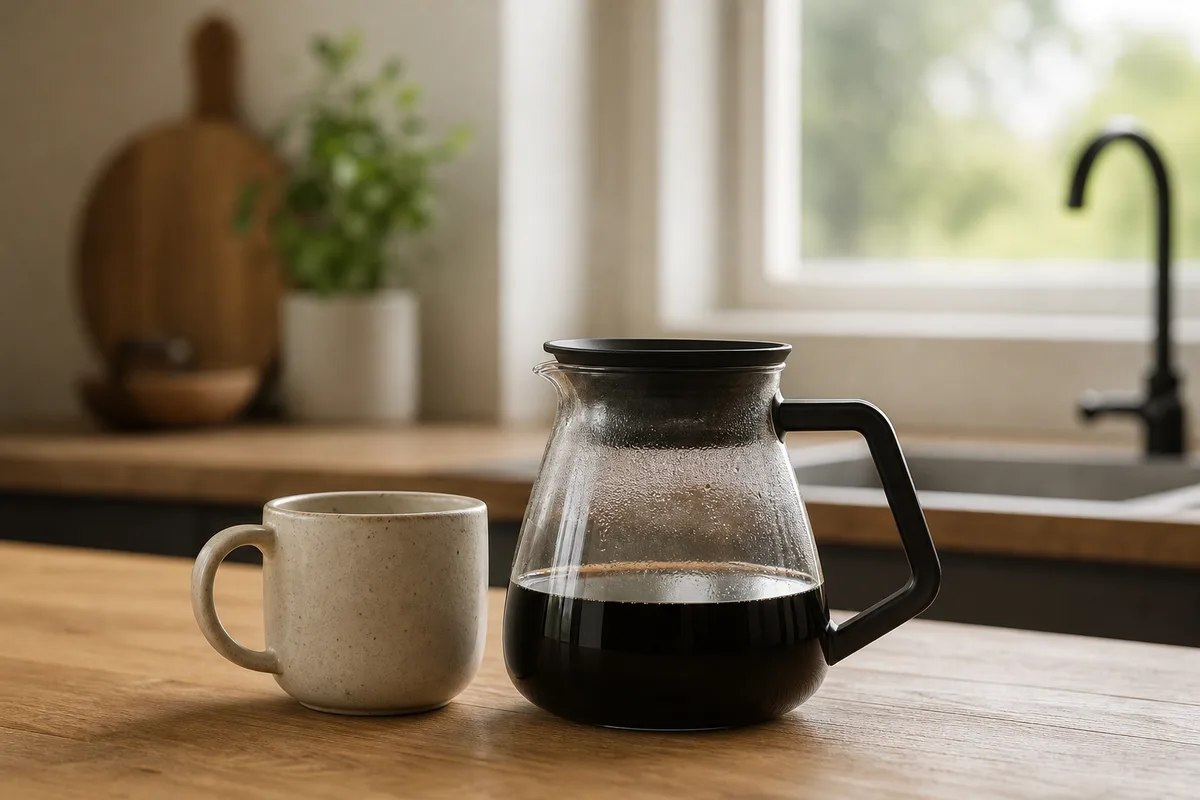
Coffee Maker Not Brewing? Check These First
- Power. Ninja’s CE251 guide says that if there are no lights, the machine is not getting power, so try a different outlet. After a power surge, a Hamilton Beach use-and-care insert says to unplug the unit, then plug it back in.
- Water. Fill the reservoir. Bunn’s Speed Brew needs at least 20 oz poured in, and it holds the water back until the pour-in lid is closed.
- The carafe. Ninja’s CE251 guide says the brewer will not dispense coffee if the carafe is not under the brew basket, and the brew stays in the basket, which could lead to overflow.
- The basket. Lift the filter basket out and set it back until it sits flat.
A short pause at the start is not always a fault. Ninja’s CE251 guide says the brew will begin, pause, and then continue, to evenly saturate the coffee grounds.
What Each Maker Says About No Brew and Slow Brew
The manuals agree on the basics and disagree on the numbers. Each row comes from that maker’s own manual or support page for the model named where there is one, so check yours too.
| Maker and source | Won’t brew | Brewing slowly, or other notes |
|---|---|---|
| Mr. Coffee, BVMC-EJX33 and BVMC-MJX manuals | Unplugged, power outage, empty reservoir, basket not properly inserted, decanter not all the way on the plate. | MJX: brews slowly means it needs cleaning. |
| Hamilton Beach, use-and-care inserts and FAQ | Empty reservoir, unplugged, power outage or surge; the clock needs resetting after an outage. | Too much coffee, too fine a grind, or needs cleaning. Bold brews slower on purpose. |
| Ninja, CE251 owner’s guide | Power, water, carafe; if it still does not start, it may be time to run a clean cycle. | A full carafe takes approximately 12–15 minutes; longer may mean it needs descaling. |
| Ninja, CM401 owner’s guide | The Drip Stop must be open; left closed, the brew pauses and is canceled after 6 minutes. | Brew time varies from around 4 to 10 minutes depending on settings. |
| OXO, 9-Cup manual | Carafe in place, water in the tank; descaling may be required. A flashing red LED ring means no water detected. | Over 8 minutes may mean mineral deposits in the water tubes. |
| Breville, BDC465 manual | No water, or an amount outside the mode’s water limits. FILL with water in the tank: move it out of direct sunlight or bright light. | Delayed Auto Start does not repeat and must be re-engaged each time. |
| Bunn, Speed Brew manual | Under 20 oz poured in, the pour-in lid open, or a tank needing a top-up after the machine was left on unused. | Clogged sprayhead holes, or lime build-up in the tank and sprayhead tube. |
| Moccamaster, support articles | Power and water but nothing moving: an internal component may require service; descaling will not typically correct it. Older thermal-carafe models: the carafe must sit snugly against a white safety button. | Basket overflowing: water cannot pass through the coffee and filter quickly enough. |
| BLACK+DECKER, CM2030 manual | Make sure it is plugged into a working outlet. | Brewing slowly means the coffeemaker needs cleaning. |
| De’Longhi, US drip coffee maker FAQ | The FAQ page read covers slow brewing only. | Slower than it used to: it may require descaling to remove mineral deposits. |
Why Is My Coffee Maker Brewing So Slowly?
Check the settings first. Hamilton Beach says its Bold or Robust setting dispenses hot water more slowly over the grounds and takes a few minutes longer than the standard setting, and its FAQ says the 1-4 cup mode slows the brewing process on purpose.
If the settings are normal and the brew has slowed over weeks, scale is the usual answer, and most of the sources in the table point to cleaning or descaling. Cuisinart’s cleaning page adds that coffee oils and mineral deposits can slow your brewing time. The descaling steps and each maker’s vinegar ratio are in the coffee maker descaling guide.
Why It Stopped Mid-Brew or Made a Short Pot
A common cause is lifting the carafe out for too long, and the pause-and-serve windows differ by model.
Hamilton Beach’s 46290, BLACK+DECKER’s CM2030, Cuisinart’s DCC-3200C and Mr. Coffee’s BVMC-MJX allow 20 seconds, and Mr. Coffee’s BVMC-EJX33 allows up to 30 seconds. OXO’s 9-Cup pauses for up to 60 seconds, then cancels the brew, which can look like a partial pot.
A short pot can also be normal. Hamilton Beach says the standard serving size for coffee is 5 ounces, not 8, which is why a 12-cup maker does not fill 12 mugs. Bunn says there is always slightly less brewed coffee than water poured in, because the grounds absorb some.
What the CLEAN Light Actually Means
A CLEAN light is not always a measurement of scale. On the Hamilton Beach insert I read, CLEAN appears after 30 cycles if the unit stays plugged in, clears on its own after two brews, and the counter resets whenever the coffee maker is unplugged or loses power. So a counter light going off after a power cut is no sign the scale has gone. BLACK+DECKER’s CM2030 flashes CL after every 60 brews and resets after Auto Clean.
Ninja’s CM401 works differently: its CLn message says the system has detected that a clean cycle needs to be run immediately. If CLEAN lights again after cleaning, Ninja says calcium buildup is still present and the cycle should be repeated. OXO’s 9-Cup manual says its descale icon appears after every 90 cycles as a reminder, so it is a counter too. Cuisinart’s DCC-3200C manual does not say how its light decides.
Why Didn’t the Programmed Brew Start?
Setting the time is usually only half the job. BLACK+DECKER says to press the AUTO button once so the timer icon appears, with grounds and water already in, and Cuisinart’s Auto On indicator must be lit, since pressing the lit button turns it off. Ninja says the CM401 must remain on for Delay Brew to work.
Coffee Backing Up or Overflowing in the Basket
Moccamaster says an overflow can occur when water cannot pass through the coffee and filter quickly enough. Its checklist: a medium-coarse grind, no more coffee than recommended, one paper filter, and never a reusable mesh filter and a paper filter together. Ninja warns against the same doubling up, saying it could cause water or coffee to clog or back up.
OXO adds a blocked drain hole in the brew basket, cleared with a soft-bristled brush. If it is water rather than coffee spilling over, Hamilton Beach says the reservoir is overfilled. Water on the counter is a different fault, covered in coffee maker leaking.
Will Descaling Fix a Coffee Maker That Won’t Brew at All?
The makers disagree. Ninja’s CE251 guide says that if the brew still does not start after the basic checks, it may be time to run a clean cycle, and OXO lists descaling among its fixes for a lit button with no brewing. Moccamaster says that when a brewer with water and power moves no water, descaling will not typically correct it, and it sends owners to its repair request form.
I would treat the two symptoms separately. Slow water means descale. No water moving at all is worth one cleaning cycle, and if that fails, contact the maker rather than descaling again.
Common Mistakes That Stop a Coffee Maker
- Pouring cold coffee back through the reservoir. Hamilton Beach says it will cause a blockage within the element and damage the coffee maker.
- Trusting a beep-code list. One list shared online says two beeps mean check the reservoir and three mean unclog the water lines. None of the three Mr. Coffee manuals I read contains a beep-code table.
- Opening the machine to test parts. Repair guides such as iFixit’s tell readers to open the bottom cover and test the thermostat and thermal fuses with a multimeter. Bunn’s manual says never to disassemble the coffee maker because there are no user-serviceable parts inside.
- Chasing a worn seal for a slow brew. Some troubleshooting articles blame slow brewing on a worn seal, but none of the maker manuals I read lists a worn seal as a cause of slow brewing.
Repair or Replace?
Hamilton Beach says it does not intend its coffee makers to be repaired and does not sell internal parts to consumers, and Bunn says repair should be done by authorized service personnel only. OXO voids the 9-Cup warranty if descaling is not carried out as instructed. Call the maker before opening anything.
If it is time to replace it, pour-over vs drip coffee weighs a manual brewer against another machine, and single-serve vs drip coffee makers covers the pod question. For the rest of the site’s coffee equipment pages, start at the coffee hub.
How This Page Was Put Together
This page is based on the makers’ own manuals and support pages, not on testing; I do not own or test coffee makers. The sources are manuals, FAQs and support articles from Mr. Coffee, Hamilton Beach, Ninja, OXO, Cuisinart, BLACK+DECKER, Bunn, Breville, Moccamaster and De’Longhi, each named beside the fact it supports.
What I could not establish from those sources:
- A normal full-pot brew time for Mr. Coffee, Hamilton Beach, Cuisinart or BLACK+DECKER machines: the manuals I read give no figure for one.
- Whether descaling revives a machine that has stopped moving water completely: the makers disagree, and I found no independent test.
- Cuisinart’s support pages: I could not read its FAQ, so the Cuisinart details rest on the DCC-3200C manual and its cleaning page.
The Verdict
Work from the simple to the serious: power, water, carafe and basket, then the Drip Stop or delay setting, then scale. A machine that brews slowly usually needs descaling, and the step-by-step descaling guide has each maker’s method.
Frequently Asked Questions
Why is my coffee maker on but not brewing?
Check the water, the basket and the carafe. Ninja says its CE251 will not dispense coffee without the carafe under the basket, and OXO’s first fix for a lit button with no brew is checking the carafe. If those are fine, run a cleaning cycle.
How long should a full pot of coffee take to brew?
It depends on the machine. Ninja says a full carafe on its CE251 takes about 12–15 minutes, OXO treats more than 8 minutes on its 9-Cup as a sign of scale, and Ninja’s CM401 runs from about 4 to 10 minutes depending on settings. Check your own manual.
Why does the clean light stay on after descaling?
On Ninja’s CM401, a CLEAN light that comes back means calcium buildup is still present, so repeat the cycle. Cuisinart says the same for the DCC-3200C, with a fresh solution. On the Hamilton Beach insert I read, CLEAN is a brew counter that clears automatically after two brews.
Why did my coffee maker stop halfway through?
Usually the carafe was out too long. Pause-and-serve allows 20 seconds on the Hamilton Beach 46290, Mr. Coffee BVMC-MJX, BLACK+DECKER CM2030 and Cuisinart DCC-3200C, and 30 seconds on the Mr. Coffee EJX33. OXO’s 9-Cup cancels the brew if the carafe is not back within 60 seconds.
Why didn’t my coffee maker brew at the programmed time?
The delay was probably set but not switched on. BLACK+DECKER needs AUTO pressed so the timer icon shows, and Mr. Coffee’s EJX33 needs the DELAY BREW light on. Breville’s delayed start does not repeat, and on the BLACK+DECKER a power cut means reprogramming the clock and Auto Brew.
Can I fix a coffee maker that won’t brew myself?
Only the outside checks. Bunn says never to disassemble its coffee maker because there are no user-serviceable parts inside, and Hamilton Beach does not sell internal parts to consumers. If it has water and power but moves none, Moccamaster says an internal component may require service.

I'm Glenn, and I started Kitchenware Compare to cut through conflicting product reviews and help readers pick kitchen gear with confidence. I don't own or test the products I write about — these guides are built from verified-purchase reviews, manufacturer specifications, and independent testing where it exists, with the reasoning shown, not just a rating.
Leave a Reply