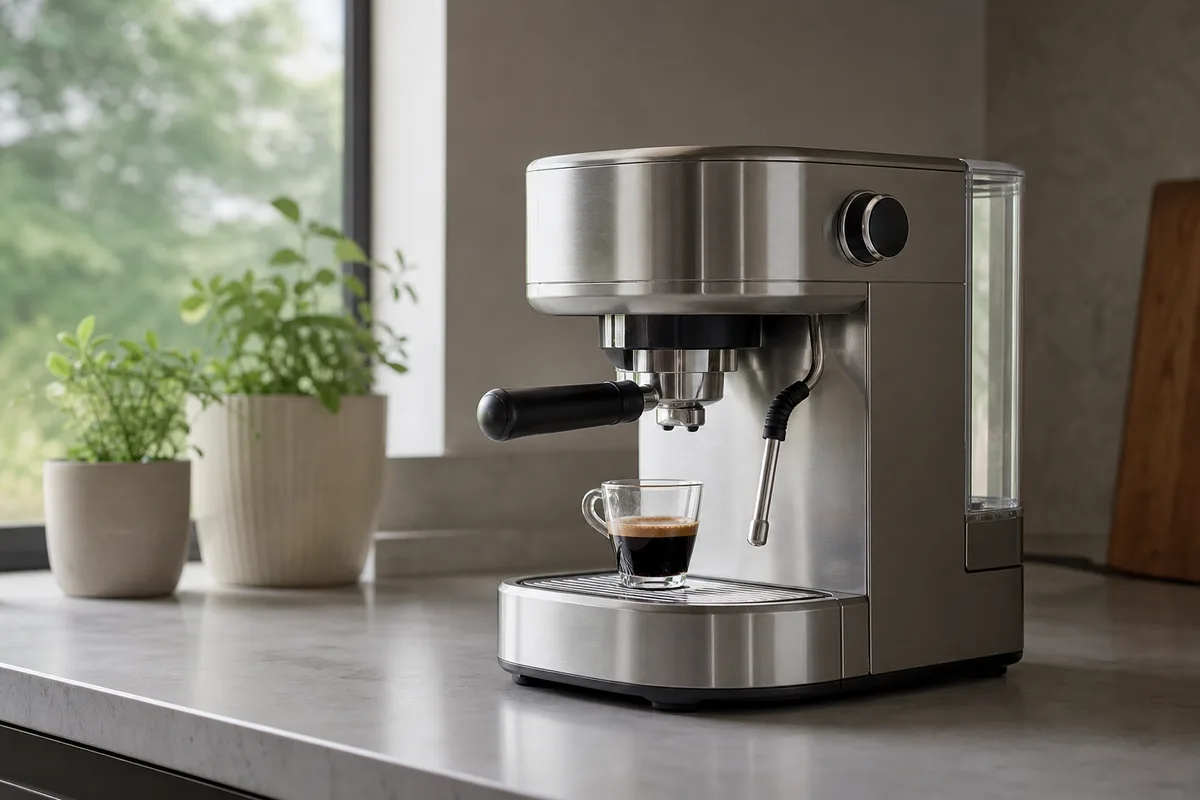
If your Breville espresso machine is not working, Breville’s instruction books open their troubleshooting tables with the same causes: an empty water tank, a tank not pushed down and locked, a machine that needs descaling, or coffee ground too fine, overdosed or tamped too hard. What the flashing lights mean changes by model.
Breville’s quickest test splits coffee faults from machine faults: take the portafilter out and run 2 Cup. If water flows, look at grind, dose, tamp and basket; if not, look at the machine.
Breville Espresso Machine Not Working? What the Lights Mean by Model
Each row comes from that model’s US instruction book, plus Breville’s support article on flashing lights where it adds something. The Barista Pro uses its LCD screen for most alerts instead of light patterns.
| Model | Lights and what they mean | Clean and descale alerts | Idle and auto-off |
|---|---|---|---|
| Bambino BES450 | All lights flash 6 times over 3 seconds: no water detected in the tank. 1 Cup and 2 Cup blinking during a steam purge is normal. | 2 Cup flashing continuously: clean and descale due, run as one combined cycle. Pressing any button cancels the alert, but the book warns against ignoring it. | Standby after 10 minutes idle. |
| Bambino Plus BES500 | MILK TEMP and MILK FOAM lit in a downward pattern: steam wand left raised; lower it. Both fully lit and flashing with the STEAM light off: blocked steam wand. Froth and temperature lights flashing together: steam function error; the tank may be empty. | 1 CUP and 2 CUP flashing alternately: group-head cleaning cycle due, after 200 extractions. 1 CUP + STEAM and 2 CUP flashing alternately for 15 seconds: descale due. | The book gives no idle auto-off time. |
| Barista Express BES870 | POWER flashing: heating; it stops and all button lights come on when ready. FILTER SIZE lights flashing: bean hopper not locked. STEAM/HOT WATER flashing at switch-on: dial not at STANDBY, so it will not heat. STEAM/HOT WATER flashing after 5 minutes of continuous steaming: steam is cut; return the dial to STANDBY. | CLEAN/DESCALE flashing: cleaning (back-flush) cycle due. Solid: descale due. | Sleep after 1 hour (POWER flashes slowly); auto-off after 3 hours. |
| Barista Express Impress BES876 | POWER flashes for up to 55 seconds while heating. Filter lights flashing between single and double: hopper not locked. Dose and Dose Level flashing two red LEDs with 3 beeps: beans low. 3 beeps and the dose pauses: tamp lever not at home; raise it and press Dose. Dose flashing after tamping: under-dose, so press Dose for A Bit More. Below MIN in the tank, it will not operate. | Same as the Barista Express: flashing means clean, solid means descale. | The book gives no sleep or auto-off time. |
| Barista Pro BES878 | Alerts appear as words on the LCD. The screen diagrams also show FILL TANK and LOCK HOPPER, which no troubleshooting row explains. If the screen shows Er, the book’s Error Mode note says to contact Breville Consumer Support. | FLUSH: cleaning cycle due. DESCALE: descale due. Both run from MENU. | Auto-off after 30 minutes unused. |
If a pattern matches nothing above, Breville’s lights article says to switch off, unplug, wait about a minute and reconnect, then contact support if the lights keep flashing. That article covers the Barista Express, Impress and Bambino Plus, but not the Bambino, whose light meanings are only in its book.
For the cleaning-cycle steps, see how to clean an espresso machine. If a descale light stays on after descaling, the fix is in how often to descale an espresso machine. Frothing problems after a blocked wand are in espresso steam wand not frothing.
Where Breville’s Books and Support Pages Disagree
- Waking a Barista Express: the book says to press any button except POWER; Breville’s lights article says to press POWER. I would follow the book, since it is written for that model.
- Clearing a blocked wand on the Bambino Plus: the Bambino Plus book says on one page that the lights flash until a steam-tip clean cycle is complete, and on another until a manual steam purge is done. Its troubleshooting table says to hold STEAM for 3 seconds to purge; its steaming section says 5 seconds.
- A water filter on the Bambino: Breville’s 3-to-5-second support article for the BES450 says to remove and replace the water filter. The BES450 book does not mention a water filter.
- Humming on a Bambino: Breville’s humming article says to run two cleaning cycles with a disc and tablet. The Bambino book describes no tablet cleaning cycle, only a combined clean and descale.
- Warranty length: Breville’s blog says its espresso machines carry two-year warranties. The US warranty page I read states no length.
No Water or No Espresso Coming Out
Short answer: fill the tank and push it down until it locks, then run the no-portafilter test before blaming the machine. This is the order in Breville’s no-water-flow support article:
- With fresh water in the tank and the machine at temperature, remove the portafilter and run 2 Cup.
- If little or nothing comes out, remove the water filter, fill to MAX, press the tank down firmly and try again. If that works, replace the filter.
- If the machine is new, ran dry or sat unused, prime it by repeating the brew cycle; it may take several attempts.
- Test hot water and steam. If all three outputs are weak, descale; heavy scale may need more than one treatment, and a cleaning tablet is no substitute for descaler.
- If water flows with no portafilter, the restriction is in the coffee: grind slightly coarser, check the dose and tamp, and clear the basket holes.
A loud pump with no water coming through means an empty tank in the Bambino book, and an empty tank or water below MIN in the Bambino Plus and Pro books. For the full coffee-versus-machine check, see espresso machine not building pressure; for fast, slow or thin shots, see espresso shot troubleshooting.
The Shot Stops After 3 to 5 Seconds
Short answer: Breville’s support article lists low water, a badly seated tank, a restricted water filter, an unprimed system, a changed shot setting and scale. Work through the steps above, then reset the programmed volume before you descale.
The reset differs by model:
- Bambino: in standby, hold 1 Cup and 2 Cup for 10 seconds; the lights flash 3 times.
- Bambino Plus: turn it off, hold 1 CUP and 2 CUP for 5 seconds, then press 1 CUP or 2 CUP; the light flashes 3 times.
- Barista Express: hold PROGRAM until it beeps three times. This also resets the water temperature.
- Barista Pro: press MENU and select RESET DEFAULTS.
Won’t Turn On, or Turns Itself Off
Short answer: with no lights at all, check the outlet and breaker; if it stops mid-use, let it cool and check the idle timers in the table above.
With no lights at all, Breville’s power article says to try an outlet on a different circuit, plug straight into the wall instead of a power strip or extension cord, check the breaker, and press RESET on a GFCI outlet. If it is still dead, service may be needed. A second Breville article on the same symptom says to look in the manual for an internal reset button or fuse; none of the five books I read mentions one.
If it stops during use, the four books with a troubleshooting table blame the safety thermal cut-out on a machine that is on but ceases to operate: switch it off, unplug it and let it cool for about 30 to 60 minutes. Breville’s support article on shut-offs says at least 30 minutes, and adds a loose cord, a tripped breaker, or several appliances on one circuit. The switch-off differs: 1 CUP and HOT WATER on the Bambino, 1 CUP and STEAM on the Bambino Plus, and POWER on the Express and Pro.
Noise, Lukewarm Coffee, Steam and Leaks
- Pulsing or pumping while brewing or steaming: the books call this normal pump operation, though they also list an empty or unseated tank.
- Humming or buzzing: Breville’s support article suspects a dirty three-way solenoid valve. Run two cleaning cycles with tablets, then a full descale; if the noise persists, the machine may need servicing.
- Lukewarm espresso: every book with a table lists a portafilter that was not preheated. The Express adds cold cups, scale and its temperature setting. Breville’s lukewarm article puts ideal extraction at 195 to 204°F (90 to 96°C) and suggests a blank shot first.
- No steam: not yet at temperature, an empty or unseated tank, scale, or a blocked wand; on the Express, also a dial not turned fully to STEAM. The Bambino book calls this row small steam.
- Water in the drip tray right after use: the auto purge, which keeps the thermocoil at temperature. For leaks, the Express book also lists a silicone seal round the shower screen that needs replacing. General leaks are in espresso machine leaking water.
Common Mistakes That Make It Worse
- Ignoring the clean or descale alert. The Bambino book warns that scale cuts brewing flow, temperature, power and taste.
- Leaving the water filter in while descaling. The Impress and Pro books say to take it out first.
- Running very pure water. Breville’s water article says to avoid distilled, demineralized or heavily filtered water and suggests about 50 to 150 ppm of dissolved solids. Its blog allows reverse-osmosis water with a moderate mineral content, so the line is mineral content, not the filter.
When to Stop and Contact Breville
Short answer: call when the fault survives the fix Breville’s own pages give.
That means a thermal cut-out that keeps tripping after a cool-down, lights that keep flashing after a power cycle, humming after two cleaning cycles and a descale, or no flow after repeated priming and descaling. Breville’s US support line is 1-866-273-8455.
The US warranty excludes damage from use that does not follow the instruction manual or its care and cleaning instructions, repairs by anyone Breville has not authorized, and machines bought from sellers Breville has not authorized.
If the machine is out of warranty and you are weighing a replacement, the best espresso machines under $500 guide covers the current options.
How This Page Was Put Together
This page is based on Breville’s US instruction books for the five machines in the table (BES450, BES500, BES870, BES876, BES878), its US support articles and its blog. It is not based on testing; I do not own or use these machines. The Impress book has no troubleshooting table and sends owners to breville.com, so its row comes from the book’s alerts page and the support articles.
What I could not establish:
- Whether a steam function error on the Bambino Plus has any cause beyond an empty tank; the book lists only that and a purge.
- What triggers FILL TANK and LOCK HOPPER on the Barista Pro screen; the book shows them in its screen diagrams, but no troubleshooting row explains them.
- The warranty length for each model.
- How often each fault happens; I found no figures on that.
- One Breville support article on this problem now shows as unavailable, so I could not read it.
The Verdict
Fill and lock the tank, run 2 Cup with no portafilter, and read the lights against your model’s row before anything else; the books’ first answers are a refill, a cleaning cycle or a descale. If the thermal cut-out or the lights persist after that, call Breville rather than opening the machine. More espresso guides are on the coffee and espresso hub, and De’Longhi owners have their own version in De’Longhi espresso machine not working.
Frequently Asked Questions
Why is my Breville espresso machine not working?
Breville’s books list an empty tank, a tank not locked in place, scale, and coffee ground too fine, overdosed or over-tamped. Run 2 Cup with no portafilter: if water flows, the coffee is the problem; if not, refill, prime and descale before calling Breville support.
Why are the lights flashing on my Breville Barista Express?
A flashing POWER light means it is heating, and a slow flash means sleep mode after an hour. Flashing FILTER SIZE lights mean the hopper is not locked. A flashing CLEAN/DESCALE light means a cleaning cycle is due; a solid one means descale.
Why does my Breville stop brewing after a few seconds?
Breville’s support article lists low water, a badly seated tank, a restricted water filter, an unprimed system, a changed shot setting and scale. Test without the portafilter and without the filter, prime it, reset the shot volume for your model, then descale if it still stops.
Why did my Breville espresso machine turn off?
It may be an idle timer: standby after 10 minutes on the Bambino, sleep after 1 hour on the Barista Express, off after 30 minutes on the Barista Pro. If it stops mid-use, the thermal cut-out may have tripped; unplug it and let it cool.
Why is my Breville making a humming noise?
A pulsing sound while brewing is normal pump operation. For humming or buzzing before, during or after extraction, Breville’s support article suspects a dirty three-way solenoid valve: run two cleaning cycles with tablets, then a full descale, and arrange service if it persists.
Can I use vinegar to descale a Breville?
Breville’s descaling support article says not to use vinegar, and none of the five instruction books I read mentions it. Breville’s own cleaning blog does give a one-to-one vinegar and water mix for descaling a Bambino, so the maker contradicts itself; the support article is the safer guide.

I'm Glenn, and I started Kitchenware Compare to cut through conflicting product reviews and help readers pick kitchen gear with confidence. I don't own or test the products I write about — these guides are built from verified-purchase reviews, manufacturer specifications, and independent testing where it exists, with the reasoning shown, not just a rating.
Leave a Reply